How to Implement a UEFI PEI PPI Module from Scratch: EFITrainingPPI
Implementing a PEIM-to-PEIM Interface (PPI) is a practical way to learn how firmware modules communicate during the UEFI Pre-EFI Initialization (PEI) phase. In this tutorial, we build an AMI-style PEIM named EFITrainingPPI that exposes two services:
| Service | Purpose |
|---|---|
PPI_CheckPoint |
Writes debug checkpoint codes to I/O port 0x80 |
PPI_Stall |
Provides a microsecond-scale delay using the ACPI Power Management (PM) timer |
The module also supports a BIOS Setup option that determines whether the PPI should be installed during PEI dispatch.
This example covers the interface definition, implementation, dependency expression, build files, firmware integration, and configuration flow. Because AMI firmware projects differ by platform and codebase version, the integration snippets should be adapted to the headers, build conventions, and Setup infrastructure in your target project.
🧩 1. Understanding PPIs in the UEFI Boot Process #
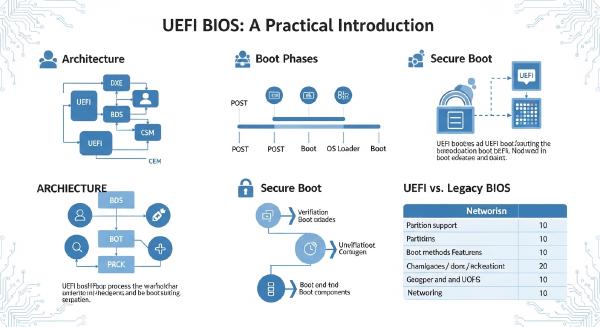
The UEFI boot process is commonly divided into these phases:
SEC → PEI → DXE → BDS → OS
Each phase has different responsibilities. PEI initializes essential platform components and establishes the conditions required to transfer control to the Driver Execution Environment (DXE).
Unlike DXE, which provides a richer driver and protocol model, PEI uses PEIM-to-PEIM Interfaces to let early firmware modules discover and call services provided by other modules.
The UEFI Platform Initialization specification defines the PPI database and the services used to install, locate, reinstall, and register notifications for PPIs. See the UEFI PI Specification: PEIMs and PPIs.
The Three Core Components of a PPI #
A PPI consists of three essential elements:
| Component | Responsibility |
|---|---|
| GUID | Uniquely identifies the interface |
| Interface structure | Defines the function pointers or data exposed by the producer |
| PPI descriptor | Associates the GUID with the interface and specifies how the PEI Foundation should register it |
The producer creates the interface and registers it with the PEI Foundation. A consumer locates the interface by GUID and calls its services through the returned function pointers.
In this tutorial, EFITrainingPPI is the producer.
The design is intentionally simple: one PPI interface exposes two functions, while a Setup-controlled policy determines whether the PEIM installs that interface.
📁 2. Project Structure #
The sample project contains six primary files:
E:\data\AMI-Uefi Training\5OEMporting\Samplecode\EFITraining\PPI
├── EFITrainingPPI.h     # PPI GUID, interface structure, function prototypes
├── EFITrainingPPI.c     # PPI implementation and installation logic
├── EFITrainingPPI.dxs   # PEIM dependency expression
├── EFITrainingPPI.mak   # Build rules
├── EFITrainingPPI.cif   # Component metadata for CIF2MAK
└── EFITrainingPPI.sdl   # AMI project integration and feature configuration
Each file serves a distinct purpose:
EFITrainingPPI.hdefines the interface contract shared by the producer and consumers.EFITrainingPPI.cimplements the services and installs the PPI.EFITrainingPPI.dxsdeclares the PPIs required before the PEIM can dispatch.EFITrainingPPI.makcontains the module’s build rules.EFITrainingPPI.cifprovides component metadata consumed by AMI build-generation tools.EFITrainingPPI.sdlintegrates the module into the platform project and exposes relevant build-time configuration.
The exact syntax of the .mak, .cif, and .sdl files depends on the AMI firmware framework and project conventions. These files are not interchangeable with the INF and DSC files used in a standard EDK II-only workflow.
📝 3. Define the PPI Interface in EFITrainingPPI.h #
The header defines the GUID and interface structure that consumers use to locate and invoke the services.
A typical implementation might look like this:
#ifndef _EFI_TRAINING_PPI_H_
#define _EFI_TRAINING_PPI_H_

#include <PiPei.h>

#define EFI_TRAINING_PPI_GUID \
  { 0x7a5b1f21, 0x8d42, 0x4c16, \
    { 0xa2, 0x11, 0x35, 0x79, 0x4c, 0x8e, 0x60, 0x12 } }

typedef
EFI_STATUS
(EFIAPI *EFI_TRAINING_PPI_CHECK_POINT)(
  IN UINT8 CheckPointCode
  );

typedef
EFI_STATUS
(EFIAPI *EFI_TRAINING_PPI_STALL)(
  IN UINTN Microseconds
  );

typedef struct {
  EFI_TRAINING_PPI_CHECK_POINT PPI_CheckPoint;
  EFI_TRAINING_PPI_STALL      PPI_Stall;
} EFI_TRAINING_PPI;

extern EFI_GUID gEfiTrainingPpiGuid;

#endif
The GUID above is illustrative. Generate and register a unique GUID for your own firmware project rather than copying this value into a production platform.
Why the Interface Structure Matters #
The structure is the contract between the producer and its consumers. Both sides must agree on the GUID, function signatures, parameter types, calling convention, and structure layout.
For example, a consumer locates the PPI and invokes a service like this:
EFI_TRAINING_PPI *TrainingPpi;

Status = PeiServicesLocatePpi(
           &gEfiTrainingPpiGuid,
           0,
           NULL,
           (VOID **)&TrainingPpi
           );

if (!EFI_ERROR(Status)) {
  TrainingPpi->PPI_CheckPoint(0xA5);
  TrainingPpi->PPI_Stall(1000);
}
This example uses the standard PEI Services Library wrapper. The corresponding library must be available to the consuming PEIM.
The producer and consumer must also agree on whether a function returns an EFI_STATUS, what its arguments mean, and which hardware resources it accesses.
⚙️ 4. Implement the Producer in EFITrainingPPI.c #
The implementation has four main responsibilities:
- Declare the PPI GUID.
- Implement the checkpoint function.
- Implement the delay function.
- Install the PPI if the platform policy enables it.
The following sections outline the core implementation and the hardware-specific details that require particular care.
4.1 Declare the GUID and Function Prototypes #
The source file defines the GUID declared in the header and provides implementations matching the interface structure.
#include <PiPei.h>
#include <Ppi/PeiServices.h>
#include <Library/IoLib.h>
#include <Library/DebugLib.h>

#include "EFITrainingPPI.h"

EFI_GUID gEfiTrainingPpiGuid = EFI_TRAINING_PPI_GUID;

STATIC
EFI_STATUS
EFIAPI
TrainingPpiCheckPoint(
  IN UINT8 CheckPointCode
  );

STATIC
EFI_STATUS
EFIAPI
TrainingPpiStall(
  IN UINTN Microseconds
  );
The include paths and library dependencies must match the target firmware framework. In some AMI projects, equivalent hardware access and PEI service interfaces may be exposed through platform-specific headers or libraries.
4.2 Implement PPI_CheckPoint #
The checkpoint service writes a byte to I/O port 0x80, traditionally used for POST codes and firmware diagnostic checkpoints on compatible x86 platforms.
STATIC
EFI_STATUS
EFIAPI
TrainingPpiCheckPoint(
  IN UINT8 CheckPointCode
  )
{
  IoWrite8(0x80, CheckPointCode);
  return EFI_SUCCESS;
}
A consumer can then report a checkpoint with:
TrainingPpi->PPI_CheckPoint(0xA5);On a platform with suitable POST-code decoding hardware or firmware logging support, the value may appear in a debug display or diagnostic log.
Platform caveat: Port 0x80 is not a universally reliable diagnostic channel. Some platforms route or intercept writes differently, and ordinary hardware may provide no visible output. Confirm the behavior on the target motherboard or emulator.
4.3 Implement PPI_Stall Using the ACPI PM Timer #
A delay service can use the ACPI Power Management timer, a free-running counter that operates at approximately 3.579545 MHz while the system is in the working state.
The timer’s address and width are platform-defined through the ACPI Fixed ACPI Description Table (FADT). Firmware should not assume that every platform uses a fixed I/O port.
The ACPI specification describes the PM timer as a 24-bit or 32-bit counter. The counter wraps around, so elapsed-time calculations must account for the selected width.
The following helper demonstrates the core arithmetic for a platform where the PM timer has already been validated and is accessible through an I/O port.
#define PM_TIMER_FREQUENCY  3579545U
#define PM_TIMER_MASK_24    0x00FFFFFFU

STATIC
UINT32
ReadPmTimer24(
  IN UINT16 PmTimerPort
  )
{
  return IoRead32(PmTimerPort) & PM_TIMER_MASK_24;
}
The port passed to this function must come from the platform’s validated ACPI configuration. Do not assume that 0x408 or any other hard-coded address is correct for every chipset.
A delay implementation can convert microseconds into timer ticks and wait until the requested interval has elapsed:
STATIC
EFI_STATUS
EFIAPI
TrainingPpiStall(
  IN UINTN Microseconds
  )
{
  UINT32 Start;
  UINT32 Current;
  UINT64 RequiredTicks;
  UINT64 ElapsedTicks;

  //
  // Replace this placeholder with the validated PM timer
  // port obtained from platform-specific configuration.
  //
  CONST UINT16 PmTimerPort = PLATFORM_PM_TIMER_PORT;

  if (Microseconds == 0) {
    return EFI_SUCCESS;
  }

  RequiredTicks =
    ((UINT64)Microseconds * PM_TIMER_FREQUENCY + 999999ULL)
    / 1000000ULL;

  Start = ReadPmTimer24(PmTimerPort);

  do {
    Current = ReadPmTimer24(PmTimerPort);

    ElapsedTicks =
      (Current - Start) & PM_TIMER_MASK_24;

  } while (ElapsedTicks < RequiredTicks);

  return EFI_SUCCESS;
}
PLATFORM_PM_TIMER_PORT is an illustrative platform-defined constant, not a standard UEFI macro. A complete implementation must resolve the PM timer’s address and width from the platform’s ACPI configuration or an equivalent trusted chipset description.
This example also assumes that the requested interval is short enough that the timer cannot wrap more than once before the function returns. For a 24-bit timer, one complete wrap takes approximately 4.69 seconds. Long delays require a different strategy.
Before using this implementation in production, consider the following details:
- Timer width: The example assumes a 24-bit timer. A 32-bit timer requires a different mask or width-aware arithmetic.
- Address space: The PM timer may be exposed through an I/O port or another supported register address space. Use the correct access method.
- Overflow: Ensure the requested delay and polling interval are compatible with the timer width.
- Arithmetic overflow: Validate or bound the requested microseconds before converting the value to ticks.
- Execution environment: Confirm that the timer is available and running at the point where the PEIM executes.
- CPU consumption: Busy-waiting consumes processor time. Use an appropriate platform service when one is available and meets the requirement.
For the hardware definition, refer to the ACPI Specification: Power Management Timer.
4.4 Build the Interface Structure #
After implementing the functions, initialize the PPI interface structure:
STATIC EFI_TRAINING_PPI mTrainingPpi = {
  TrainingPpiCheckPoint,
  TrainingPpiStall
};
The interface is a static object, so its storage remains valid for as long as the PEIM’s code and data remain available. That is important because the PEI Foundation stores the interface pointer when the PPI is installed.
The lifetime and relocation behavior of the PEIM must be consistent with the platform’s PEI execution model.
4.5 Create the PPI Descriptor and Install the Interface #
The PEI Foundation uses EFI_PEI_PPI_DESCRIPTOR to associate the interface pointer with its GUID.
STATIC EFI_PEI_PPI_DESCRIPTOR mTrainingPpiDescriptor = {
  EFI_PEI_PPI_DESCRIPTOR_PPI |
  EFI_PEI_PPI_DESCRIPTOR_TERMINATE_LIST,
  &gEfiTrainingPpiGuid,
  &mTrainingPpi
};
The installation operation can then use the PEI Services table:
Status = PeiServicesInstallPpi(&mTrainingPpiDescriptor);The PeiServicesInstallPpi() wrapper is commonly provided by the PEI Services Library. If your project calls PEI services directly, use the appropriate function pointer and signature for the PI specification version and headers in use.
Always check the return status. A failed installation means consumers cannot rely on the PPI being present.
🔌 5. Control PPI Installation With a BIOS Setup Option #
A common firmware requirement is to let users enable or disable a diagnostic or training interface through BIOS Setup.
The intended behavior is straightforward:
- When the Setup option is enabled, the PEIM installs
EFITrainingPPI. - When the option is disabled, the PEIM returns without installing it.
However, the Setup setting must be available at the point where the PEIM executes. A DXE-only Setup variable that is created or updated later in the boot process cannot automatically control an earlier PEIM.
5.1 Define the Setup Policy #
The project needs a Boolean setting, such as TrainingPpiEnable, represented in the platform’s Setup configuration.
For example, the policy could be stored in a platform configuration structure:
typedef struct {
  BOOLEAN TrainingPpiEnable;
} EFI_TRAINING_PPI_CONFIG;
This is an illustrative structure. An actual AMI project should use the existing Setup variable, HOB, PCD, or other configuration mechanism that is available at PEI dispatch time.
If the setting is stored in a UEFI variable, verify that the variable is accessible at this boot stage and that its storage and access requirements are satisfied. Early PEI may execute before permanent memory is installed, and not every variable-access mechanism is available at every point in PEI.
5.2 Read the Setting Before Installing the PPI #
The entry point should evaluate the configuration first:
EFI_STATUS
EFIAPI
EFITrainingPPIEntryPoint(
  IN EFI_PEI_FILE_HANDLE FileHandle,
  IN CONST EFI_PEI_SERVICES **PeiServices
  )
{
  EFI_STATUS Status;
  BOOLEAN EnablePpi;

  Status = GetTrainingPpiEnableSetting(&EnablePpi);
  if (EFI_ERROR(Status)) {
    return Status;
  }

  if (!EnablePpi) {
    DEBUG((DEBUG_INFO,
      "EFITrainingPPI: Disabled by platform policy\n"));
    return EFI_SUCCESS;
  }

  Status = PeiServicesInstallPpi(&mTrainingPpiDescriptor);
  if (EFI_ERROR(Status)) {
    DEBUG((DEBUG_ERROR,
      "EFITrainingPPI: InstallPpi failed: %r\n", Status));
    return Status;
  }

  DEBUG((DEBUG_INFO,
    "EFITrainingPPI: PPI installed\n"));

  return EFI_SUCCESS;
}
GetTrainingPpiEnableSetting() represents a platform-specific configuration reader that must be implemented using the project’s actual configuration infrastructure.
A production implementation should define a deliberate policy for missing or invalid configuration data. For a diagnostic PPI, disabling the feature by default may be appropriate; other platform requirements may specify a different default.
5.3 Understand What Disabling the PPI Actually Means #
The standard PEI PPI services include InstallPpi(), ReinstallPpi(), LocatePpi(), and NotifyPpi(). They do not provide a general-purpose UninstallPpi() operation.
Therefore, a Setup switch is simplest when evaluated before installation. If the switch is disabled, the PEIM simply does not publish the interface.
If the PPI has already been installed, changing the configuration does not automatically remove it from the PEI PPI database. A design that needs to deactivate an existing interface must use an explicitly designed mechanism, such as replacing it with an implementation that returns an appropriate status.
This distinction matters when a platform uses notification callbacks or when consumers cache PPI pointers.
🧭 6. Configure the Dependency Expression in EFITrainingPPI.dxs #
A PEIM dependency expression (DEPEX) tells the PEI Foundation which PPIs must be present before the module can execute.
For example, a dependency expression might require a platform configuration PPI:
DEPENDENCY_START
  EFI_PLATFORM_CONFIG_PPI_GUID
DEPENDENCY_END
The GUID here is illustrative. Replace it with a real dependency available in your target firmware.
If the PEIM requires no external PPI to execute, the project may use an empty dependency expression, depending on the module format and build conventions.
The important distinction is that DEPEX controls dispatch eligibility; it does not control whether the produced PPI is installed. The Setup policy remains an entry-point decision unless the platform has designed another explicit mechanism.
Do not add a dependency on a PPI that is only installed by EFITrainingPPI itself. Such a dependency would prevent the module from dispatching and creating the very interface it requires.
🏗️ 7. Integrate the Module Into the AMI Build System #
The build and integration files connect the source code to the platform’s firmware image.
7.1 EFITrainingPPI.mak #
The makefile defines the source files, include paths, compiler settings, and output rules required by the AMI build environment.
A simplified conceptual example is:
MODULE_NAME = EFITrainingPPI

SOURCE_FILES = EFITrainingPPI.c

# Add the platform's required PEI headers and libraries.
# Use the actual macros and build rules defined by your AMI project.
This is not a drop-in AMI makefile. Real .mak files typically depend on project-specific variables, generated paths, compiler settings, and shared build rules.
7.2 EFITrainingPPI.cif #
The component information file describes the module to the AMI build-generation workflow. Depending on the project, it may specify the component name, source files, output type, and other metadata consumed by CIF2MAK.
Use the syntax and field conventions of the existing modules in your firmware tree rather than inventing a new format.
7.3 EFITrainingPPI.sdl #
The SDL file integrates the component into the platform configuration. It may control whether the component is included in the build, configure source paths, or expose build-time options.
A build-time SDL switch and a runtime BIOS Setup switch serve different purposes:
- Build-time switch: Determines whether the module is included in the firmware image.
- Runtime Setup switch: Determines whether the compiled module installs its PPI during PEI.
A runtime Setup option cannot activate a PEIM that was omitted from the firmware image.
🧪 8. Test the PPI During Firmware Development #
Once the module builds and is integrated, test it in a controlled environment before using it on production hardware.
Verify Installation #
Add diagnostic messages around the installation call and confirm that PeiServicesInstallPpi() returns EFI_SUCCESS when the feature is enabled.
When disabled, verify that the PEIM returns without installing the interface.
Verify Consumer Discovery #
Create a small test PEIM that locates gEfiTrainingPpiGuid and checks the returned interface pointer. Confirm that the consumer’s DEPEX does not prevent it from dispatching before the producer installs the PPI.
Verify Checkpoint Output #
Call PPI_CheckPoint with known values, such as 0xA5 and 0x5A, and inspect the platform’s POST-code output mechanism if one is available.
Verify Delay Accuracy #
Measure the stall duration using a trusted timer or hardware trace. Test short and longer intervals, including values near the limits of the implementation.
Confirm that the selected PM timer address and width match the platform configuration and that wraparound is handled correctly.
Test Setup Configuration Paths #
Test at least these scenarios:
- The feature is enabled and the PPI installs successfully.
- The feature is disabled and the PPI is not installed.
- The configuration setting is missing or invalid.
- PPI installation fails.
- A consumer attempts to locate the PPI when it is unavailable.
These cases help distinguish build integration errors, dispatch-order problems, configuration failures, and hardware-specific issues.
✅ Conclusion #
Implementing EFITrainingPPI provides a compact, practical introduction to PEIM development and early firmware communication.
The module combines three important firmware concepts: defining a stable interface with a GUID and function table, publishing that interface through the PEI PPI database, and controlling installation through platform configuration.
The checkpoint service demonstrates a simple hardware diagnostic operation, while the stall service illustrates how a firmware module can use the ACPI PM timer for elapsed-time measurement. Both require platform-aware implementation details to be reliable outside a teaching environment.
Finally, the BIOS Setup integration highlights an important architectural rule: runtime policy must be available at the phase where it is consumed. Evaluating the setting before installing the PPI provides a straightforward enable/disable mechanism without relying on a nonexistent general-purpose PPI uninstall service.
With the interface, producer, dependency expression, build metadata, and configuration policy in place, EFITrainingPPI becomes a useful foundation for further PEI experiments and platform-specific firmware services.