Deep Dive into PCB Terminology and Structure #
A PCB (Printed Circuit Board) forms the backbone of modern electronics. Before PCBs, circuits relied on point-to-point wiring—bulky, fragile, and prone to failure. PCBs enabled compact layouts, improved reliability, and mass-manufacturable designs that power today’s devices.
This guide explains PCB construction, key terminology, and practical design concepts for engineers and hardware enthusiasts.
🧱 The Layered Structure of a PCB #
A PCB is built like a laminated “layer cake,” combining structural materials and conductive layers.
-
FR4 Substrate
Fiberglass epoxy laminate that provides rigidity and insulation.- Typical thickness: 1.6 mm
- Thin boards (0.8 mm) used in wearables and compact devices
-
Copper Layers
Thin copper foil laminated to the board surface.- Common thickness: 1 oz copper ≈ 35 µm
- Double-sided boards have copper on both sides; multilayer boards stack multiple copper layers internally.
-
Soldermask
Protective coating (usually green) that:- Prevents solder bridges
- Protects copper from oxidation
- Reduces accidental shorts
-
Silkscreen
Printed labels and symbols for:- Component IDs (R1, C10, U3)
- Polarity markers
- Assembly guidance
🔧 Essential PCB Terminology #
Understanding fabrication and layout terms is critical for design and troubleshooting.
Holes and Vias #
- Via – Conductive hole connecting copper layers.
- Plated Through-Hole (PTH) – Copper-plated hole for leaded components.
- Annular Ring – Copper ring surrounding a drilled hole, ensuring mechanical and electrical reliability.
Design & Manufacturing Terms #
- DRC (Design Rule Check) – Verifies trace widths, spacing, and manufacturability.
- Panelization – Multiple boards fabricated on one sheet for automated processing.
- Mouse Bites – Perforated edges for snapping boards apart.
- V-Score – Partial cuts that allow clean separation of boards.
Assembly-Stage Terminology #
- Pad – Exposed copper area where components are soldered.
- SMD pads for surface-mount parts
- Thru-hole pads for leaded components
- Stencil – Metal mask for applying solder paste.
- Pick-and-Place Machine – Automatically positions components.
- Reflow Soldering – Oven process that melts solder paste to form joints.
Physical PCB Features #
- Trace – Copper pathway acting as an electrical connection.
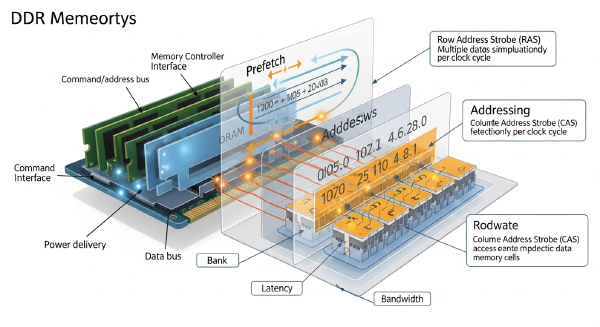
- Gold Finger – Edge connector contacts plated with gold (RAM, GPUs).
- Pogo Pin – Spring-loaded contact used for testing or programming.
🛠️ Practical Tips for First-Time PCB Designers #
-
Select the Right CAD Tool
- KiCad (open-source)
- Altium Designer (professional)
- EasyEDA (web-based)
-
Start with a Verified Schematic
Layout mistakes often trace back to schematic errors. -
Study Reference Designs
Review proven boards from Arduino, SparkFun, Adafruit, or other open-source projects. -
Expect Iteration
First revisions frequently contain errors—PCB design is an iterative engineering process.
🎯 Key Takeaways #
- PCBs are multilayer laminated structures combining FR4, copper, soldermask, and silkscreen.
- Vias, pads, traces, and panelization methods define electrical and mechanical connectivity.
- Understanding manufacturing and assembly terms helps avoid costly design mistakes.
- Good PCB design starts with schematic accuracy, rule checks, and proven layout practices.
Mastering PCB fundamentals empowers engineers to build reliable, manufacturable, and scalable hardware designs.