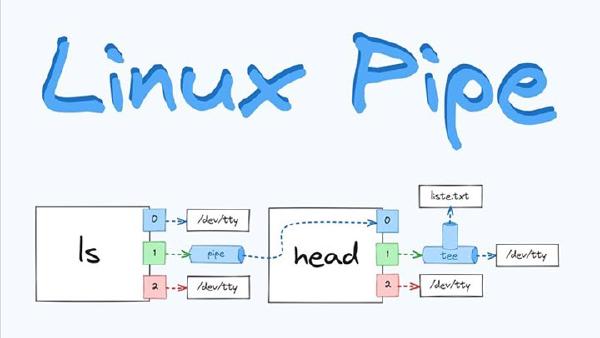
Whether you are a system administrator, a developer, or a power user, mastering Shell-based text processing is a foundational skill. These tools help extract signal from noise, automate repetitive tasks, and dramatically improve command-line productivity.
📁 File Search & Handling #
-
Find specific files
find /path -name "filename" -
Search and delete files
find /path -name "*.log" -delete -
Find files by type
find /path -type f -name "*.txt"Finds regular files only.
-
Recursive text search
grep -R "text" /path -
Case-insensitive search
grep -i "text" file
🔃 Sorting & De-duplication #
-
Sort text alphabetically
sort file.txt -
Reverse sort
sort -r file.txt -
Remove duplicate lines
sort file.txt | uniquniqrequires sorted input to detect all duplicates. -
Count unique entries
sort file.txt | uniq -c
🔤 Character Conversion & Extraction #
-
Character replacement
echo "apple" | tr 'a' 'A'Output:
Apple -
Delete characters
echo "text123" | tr -d '0-9' -
Extract specific columns
cut -d, -f2 file.csvExtracts the second column using
,as delimiter. -
Merge file columns
paste file1.txt file2.txt
📊 Statistics & Formatting #
-
Count lines, words, and bytes
wc file.txtUse
-lto count lines only. -
Count specific word occurrences
grep -o "word" file.txt | wc -l
✏️ Text Substitution & Pattern Matching #
-
Global text replacement
sed 's/old/new/g' file.txt -
Conditional replacement
sed '/pattern/s/old/new/' file.txtApplies replacement only on matching lines.
🔮 Advanced Stream Processing with awk #
-
Print specific columns
awk '{print $1}' file.txt -
Conditional filtering
awk '$1 > 10' file.txt -
Custom field separators
awk -F: '{print $1}' /etc/passwd
🧰 Core Tool Summary #
| Tool | Primary Purpose |
|---|---|
grep |
Search for patterns in text |
sed |
Stream editing and substitution |
awk |
Pattern scanning and data processing |
tr |
Character translation or deletion |
sort |
Line-based sorting |
Shell text processing tools may look simple, but together they form a powerful data-processing pipeline. By combining them effectively, you can handle large datasets, automate system tasks, and turn the Linux command line into a precise and expressive productivity engine.