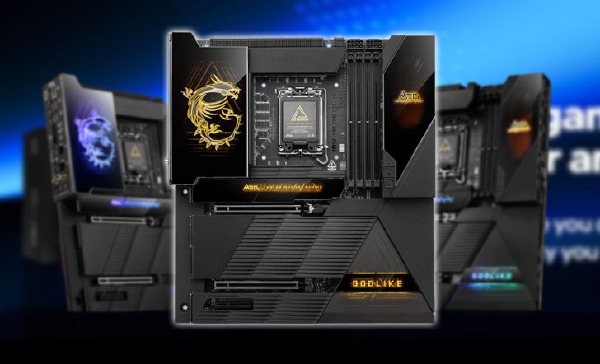
Intel has announced a major expansion of its Application Optimization (APO) software, growing official support to 26 PC games. The update targets performance-sensitive titles across eSports and AAA gaming, designed specifically for 14th Gen Intel Core and Core Ultra 200S processors.
APO adds a software-defined optimization layer on top of Intel’s hybrid CPU architecture, aiming to extract more consistent and higher in-game frame rates without manual tuning.
🎮 What Is Intel Application Optimization (APO)? #
Intel APO is a policy-driven optimization framework that works alongside Intel Dynamic Tuning Technology (DTT). While hardware mechanisms like Intel Thread Director manage scheduling at the silicon level, APO provides game-aware software control.
How APO Improves Gaming Performance #
- Automatic Game Detection – Recognizes supported titles at launch
- Thread Prioritization – Allocates high-priority threads to performance cores
- Clock & Power Biasing – Adjusts frequency and power behavior for gaming workloads
- Thermal Coordination – Uses DTT to sustain performance without excessive heat
The result is smoother frame pacing and measurable FPS gains in supported titles.
🧩 Supported Game Library (26 Titles) #
The expanded APO catalog includes a mix of competitive eSports and demanding AAA games.
eSports & Multiplayer #
- Counter-Strike 2
- Dota 2
- Fortnite
- Rainbow Six Siege
- World of Warcraft
- World of Tanks
AAA & Single-Player #
- Cyberpunk 2077
- Red Dead Redemption 2
- Shadow of the Tomb Raider
- Metro Exodus
- Marvel’s Guardians of the Galaxy
Strategy & Simulation #
- Total War: Warhammer III
- Company of Heroes 3
- F1 22
- Dirt 5
Intel reports up to 10–15% FPS improvements in select titles, depending on CPU and system configuration.
🔮 Hardware Compatibility Requirements #
Intel APO is tightly coupled to platform features and is not universally supported across all Intel CPUs.
Full Optimization Support #
These processors receive the most complete APO feature set:
-
Desktop
- Core Ultra 9 285K
- Core Ultra 7 265K / 265KF
- Core i9-14900KS / K / KF
- Core i7-14700K / KF
-
Mobile
- Core i9-14900HX
- Core i7-14700HX
Limited “Advanced Mode” Support #
- 12th Gen Intel Core
- 13th Gen Intel Core
- Core i5-14600 series
Advanced Mode enables partial optimizations but may deliver smaller gains.
⚙️ Setup Checklist for Gamers #
To enable Intel APO successfully, all of the following must be in place:
-
BIOS Configuration
- Intel Dynamic Tuning Technology (DTT) enabled
-
Driver Requirement
- Intel DTT driver v9.0.11405 or newer
-
APO Management App
- Install Intel Application Optimization from the Microsoft Store
Once installed, APO can be toggled on a per-game basis.
📊 Intel APO at a Glance #
| Feature | Details |
|---|---|
| Supported Games | 26 titles |
| Performance Gain | Up to ~15% FPS (title-dependent) |
| Optimization Type | Software-defined scheduling & tuning |
| Primary Platforms | LGA1700 (14th Gen), LGA1851 (Core Ultra) |
Intel’s continued investment in APO highlights a broader industry trend: software-aware performance tuning is becoming just as important as raw CPU horsepower—especially in gaming workloads where consistency and latency matter most.