Ubuntu 26.10 Released: GNOME 51, Linux Kernel 7.3, and Rust Coreutils
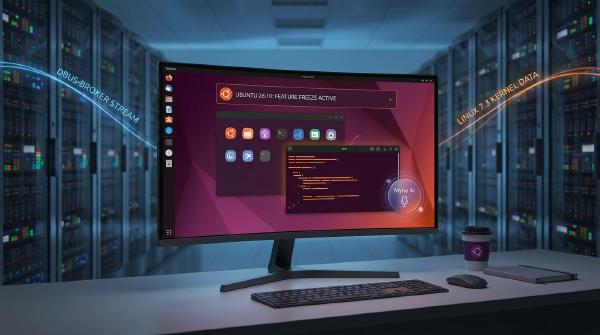
Ubuntu 26.10, codenamed Stonking Stingray, launched on October 15, 2026, introducing GNOME 51, Rust-based core utilities, a new D-Bus implementation, and experimental local voice dictation. The interim release also updates developer toolchains and expands support for newer hardware platforms.
One of the release’s most unusual details is its reported use of a Linux 7.3 release-candidate kernel before the upstream stable release became available. Alongside substantial changes to core system components, this makes Ubuntu 26.10 an interesting upgrade for Linux enthusiasts and developers—but one that production users should evaluate carefully.
Official release page: https://releases.ubuntu.com/26.10/
🚀 1. Linux Kernel 7.3: New Hardware Support With Some Risk #
Ubuntu 26.10 reportedly shipped with a kernel based on Linux 7.3-rc6, even though the upstream stable release was expected after October 18.
This reflects Ubuntu’s release-freeze strategy. Rather than delaying the entire operating system to wait for a newer stable kernel, developers can select the upstream version available when the distribution reaches its kernel freeze.
The main advantage is improved compatibility with newer hardware. Recent kernel development can introduce updated drivers, device support, and fixes that help recently released systems work without additional configuration.
The trade-off is that release-candidate software has not completed the upstream stable-release process. Users may encounter issues involving graphics, networking, suspend and resume, or particular hardware drivers. If problems appear immediately after installation, kernel compatibility is one possible cause to investigate.
For additional context, read Ubuntu 26.10: Linux 7.3, amd64-v3 ISO and GRUB Changes, which examines the kernel decision and other changes affecting the distribution.
Ubuntu 26.10 is an interim release rather than a long-term support (LTS) release, with support scheduled through July 2027. Users who prioritize long-term maintenance and predictable production environments may prefer Ubuntu 26.04 LTS unless they specifically need features available in the newer release.
🖥️ 2. GNOME 51 Improves Everyday Desktop Workflows #
GNOME 51 delivers many of Ubuntu 26.10’s most visible changes, focusing on window management, file handling, authentication, and system settings.
Smarter Window Tiling #
Ubuntu’s built-in Tiling Assistant extension introduces a layout picker that appears when a user drags a window toward the top of the screen. Selecting a grid cell positions the window in the chosen area.
The concept is similar to Windows 11’s Snap Layouts, making it easier to arrange terminals, browsers, editors, and documentation side by side.
For developers and users who regularly work with multiple applications, this can reduce the time spent organizing desktop windows.
Better Desktop Integration and File Management #
The desktop icons extension, DING, has been ported to GTK4. Its context menus and pop-ups are designed to fit more consistently with the rest of the desktop’s visual style.
Other reported improvements include:
- Nautilus: Faster refreshing of large directories and a file-count badge when dragging multiple images.
- Document Viewer: Support for adding handwritten signatures to PDFs.
- App Center: Driver management is available under Add-ons → Additional Drivers on systems that require proprietary drivers.
- Ubuntu Certified: A new Settings entry lets users check whether their hardware appears in Canonical’s certification database.
The driver-management interface is hardware-dependent, so it may not appear on every system. Its absence does not necessarily indicate a problem with the installation.
Updated Authentication Options #
The login and lock screens add support for FIDO2 and passkeys, alongside web-based login options using QR codes or links.
These capabilities can make authentication more convenient, although their availability depends on the relevant services, accounts, and system configuration.
⚙️ 3. Rust Core Utilities, Sequoia PGP, and dbus-broker #
Several of Ubuntu 26.10’s most consequential changes take place beneath the desktop. They affect everyday command-line tools, cryptographic workflows, and communication between applications and system services.
Rust-Based Core Utilities Reach a Milestone #
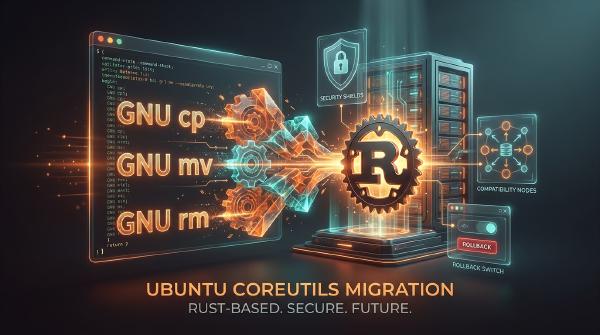
The Rust-based uutils project continues replacing utilities traditionally supplied by GNU Coreutils. In Ubuntu 26.10, the reported final three commands—cp, mv, and rm—join earlier replacements such as ls and cat.
This marks a major milestone in the transition toward a Rust-based default core-utility environment.
However, replacing an implementation is not always behavior-neutral. Shell scripts can depend on command-line options, error handling, exit codes, and edge cases that are easy to overlook.
Before upgrading production systems, test:
- Backup and restoration scripts.
- Deployment and installation automation.
- Build pipelines and container entry points.
- Scripts that rely on less commonly used GNU-specific options.
For a deeper technical explanation, see Ubuntu 26.10 Replaces cp, mv and rm With Rust Coreutils. It explores what the transition means for command-line compatibility, automation, and system administration.
Users who need the original GNU implementations should check whether the coreutils-from-gnu package is available and compatible with their installation.
Sequoia PGP Expands Cryptographic Tooling #
Sequoia PGP, a Rust implementation of OpenPGP, enters Ubuntu’s main repository. Its sq and sqv commands offer alternatives for tasks commonly handled by gpg and gpgv.
This does not mean GnuPG is simply removed. Instead, Ubuntu expands the available cryptographic tooling while continuing a broader transition toward Rust-based implementations.
Administrators should test signing, verification, key management, and package dependencies before changing established security workflows.
dbus-broker Replaces dbus-daemon #
Ubuntu 26.10 replaces the long-standing dbus-daemon implementation with dbus-broker.
D-Bus is an essential communication layer between desktop applications and system services. Notifications, device discovery, and many desktop interactions rely on messages passing through this infrastructure.
The new implementation aims to improve reliability and behavior under load. Most users may not notice the change directly, but replacing a foundational component makes regression testing important—particularly for customized desktop environments and systems with specialized integrations.
Other System-Level Changes #
Two additional changes deserve attention:
- OpenSSH packaging: OpenSSH is split into
opensshandopenssh-gssapipackages. Fresh installations reportedly omit the Kerberos-related component by default, while upgrades account for existing configurations. Administrators should verify authentication requirements before migrating managed servers. - Out-of-memory handling: Desktop core processes receive lower out-of-memory scores, helping preserve essential desktop components during severe memory pressure. Applications such as browsers may be more likely to be terminated when the system runs out of memory.
🎙️ 4. Myna Adds Local Voice Dictation #
Myna is one of Ubuntu 26.10’s most distinctive features. It allows users to dictate text directly into the active input field using a keyboard shortcut.
The workflow is simple: hold the shortcut, speak, and release it to insert the recognized text at the cursor.
Speech Recognition Without Cloud Processing #
Myna’s key selling point is on-device speech recognition. According to the feature description, recognition runs locally, with audio held in memory during processing and discarded afterward rather than transmitted to a remote server.
The speech-recognition models must be downloaded separately and reportedly require approximately 1–2 GB of storage.
For privacy-conscious users, local processing can reduce dependence on cloud-based speech services. Nevertheless, users should still review application permissions and local data handling rather than assuming that on-device processing eliminates every privacy risk.
Why Myna Is Not Ready for Everyone #
Myna is not preinstalled by default in Ubuntu 26.10. It remains a technical preview that requires manual installation of the application and model packages.
The packaging approach is also intended to let users of Ubuntu 24.04 LTS and 26.04 LTS try the feature without upgrading their entire operating system, provided compatible packages are available for their release.
For users interested in speech-to-text workflows, Myna is worth watching. Those who depend on dictation for critical daily work should evaluate recognition quality, language support, resource requirements, and reliability before adopting it.
🧩 5. RISC-V Support and the amd64-v3 Installation Image #
Ubuntu 26.10 expands its hardware options with additional RISC-V support and an optimized installation image for newer x86-64 processors.
RISC-V Gains Official Platform Support #
The release adopts RVA23 as its official RISC-V baseline and adds support for the SpacemiT K3 and SiFive BigSky boards across desktop and minimal installation images.
This represents an important step toward broader mainstream support for RISC-V hardware within Ubuntu.
Developers working with these platforms should still verify compatibility for their specific board, firmware, peripherals, and software stack. Official platform support does not necessarily mean every device or workload is supported identically.
amd64-v3 Targets Modern CPUs #
An optimized amd64-v3 ISO is available for compatible modern x86-64 processors. By using a newer instruction-set baseline, this image can enable performance improvements in suitable workloads.
The benefits depend on the processor and software involved; users should not assume that every application will become significantly faster.
Older processors without x86-64-v3 support cannot use this image. When compatibility is uncertain, the standard amd64 ISO remains the safer choice.
🛠️ 6. Updated Developer Toolchains #
Ubuntu 26.10 updates several major compilers, language runtimes, and development tools. This can make the release attractive to developers who want newer software without manually installing every component.
The reported versions include:
| Toolchain | Version |
|---|---|
| GCC | 15.2 |
| Python | 3.14.7 |
| Rust | 1.97.1 |
| Go | 1.27 |
| LLVM | 22.1.6 |
| .NET | 10 |
| OpenJDK | 25.0.4 |
| Zig | 0.16 |
Newer toolchains provide access to recent language features, compiler improvements, and updated development environments.
The downside is potential compatibility friction. Projects with pinned dependencies, older build systems, reproducible-build requirements, or strict runtime constraints may need adjustments.
Before upgrading development workstations or CI runners, test dependency resolution, compilation, unit tests, container images, and deployment artifacts. Keeping the existing build environment available during the transition can make troubleshooting considerably easier.
⚠️ 7. Should You Upgrade to Ubuntu 26.10? #
The decision depends on your hardware, workload, and tolerance for change.
| User profile | Recommendation |
|---|---|
| Production workstation or business-critical machine | Prefer Ubuntu 26.04 LTS unless a specific feature justifies the upgrade |
| Secondary desktop or test system | A good candidate for exploring GNOME 51 and the new system components |
| Developer using containers or CI | Test scripts, dependencies, and build pipelines before migrating |
| Owner of newer hardware | Consider 26.10 if its kernel or driver support addresses a specific compatibility need |
| User prioritizing long-term maintenance | Stay with an LTS release |
Ubuntu 26.10 changes several foundational layers at once: the kernel, core utilities, and D-Bus. If an application begins behaving unexpectedly after an upgrade, the root cause may lie in a lower-level component rather than in the application itself.
For production environments, maintain verified backups, confirm recovery procedures, and test critical workflows before migrating. Secondary machines are a safer place to evaluate the release’s new capabilities.
🔎 8. What to Check Before Installing #
Before deploying Ubuntu 26.10 broadly, verify the release details that matter most to your environment.
- Kernel status: Confirm the exact kernel version in the installation image and subsequent updates, along with any known hardware-specific issues.
- Driver compatibility: Test graphics, networking, wireless, suspend and resume, and specialized peripherals.
- Coreutils behavior: Check whether existing scripts depend on GNU-specific command-line behavior and whether the original utilities are available if needed.
- Myna requirements: Confirm package availability, supported Ubuntu versions, model downloads, and hardware requirements.
- Architecture compatibility: Verify RISC-V board support or x86-64-v3 CPU compatibility before choosing an installation image.
- Developer dependencies: Test compilers, runtimes, containers, and CI pipelines against the updated toolchain.
Use the official Ubuntu 26.10 release page as the primary reference for installation images and release information.
📝 Conclusion #
Ubuntu 26.10 Stonking Stingray delivers a substantial platform update. GNOME 51 improves desktop usability, Myna introduces local voice dictation, Rust-based core utilities reach a major milestone, and dbus-broker replaces a long-standing system component. RISC-V support and updated development tools further broaden the release’s appeal.
These changes make Ubuntu 26.10 particularly interesting for developers, Linux enthusiasts, and users who need newer hardware support. They also create a larger-than-usual set of compatibility questions for administrators and production users.
The bottom line: Ubuntu 26.10 is worth evaluating on a secondary machine, especially if its new features solve a specific problem. For systems where reliability and predictable maintenance matter more than having the latest desktop, staying on Ubuntu 26.04 LTS remains a sensible choice.