Dell Pro 14 Premium PA14260 Review: Panther Lake and Intel 18A
Intel Panther Lake has brought its next-generation mobile computing platform to the commercial laptop market, and Dell has updated its premium business notebook lineup accordingly. The 2026 Dell Pro 14 Premium, model PA14260, combines Intel Core Ultra Series 3 processors with a lightweight magnesium-alloy chassis, enterprise management capabilities, and a selection of high-end display configurations.
The processor options range from the Core Ultra 5 335 vPro to the Core Ultra 7 366H vPro, allowing enterprise customers to configure systems according to their performance and deployment requirements.
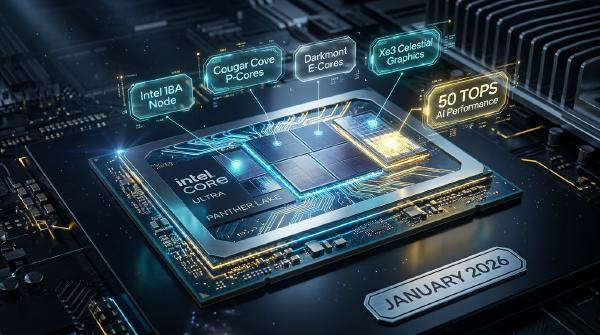
The most important technological upgrade is the introduction of Intel’s 18A manufacturing process in the Panther Lake compute tile, incorporating RibbonFET gate-all-around transistors and PowerVia backside power delivery. The platform also introduces Cougar Cove and Darkmont CPU architectures, Xe3 integrated graphics, and a fifth-generation Neural Processing Unit.
Our review focuses on the Core Ultra 5 335 vPro configuration, which combines eight CPU cores, four Xe3 graphics cores, and an NPU capable of delivering 47 TOPS.
Beyond performance, Dell has placed considerable emphasis on enterprise requirements, including chassis durability, repairability, security, remote management, battery endurance, and sustainable materials.
With a starting weight of approximately 1.3 kg for the reviewed configuration, the Pro 14 Premium attempts to balance portability with commercial-grade reliability.
Does Panther Lake make this business notebook a compelling enterprise upgrade? Let’s examine its design, CPU and GPU performance, AI capabilities, and practical deployment features.
💻 1. Design and Build Quality: Minimalist Business Aesthetics #
The Dell Pro 14 Premium PA14260 adopts a restrained professional design rather than the aggressive styling commonly found in gaming and performance laptops.
Its chassis uses a magnesium-alloy construction with an anodized, finely textured surface and rounded edges.
The result is a clean appearance that fits naturally into corporate offices, business travel environments, and professional workspaces.
1.1 Magnesium-Alloy Chassis and Durability #
The laptop uses a magnesium-alloy chassis designed to balance rigidity and weight.
The reviewed configuration weighs approximately 1.3 kg, although the final weight varies with display and battery selection. Dell lists a minimum weight of approximately 1.15 kg for selected configurations.
The chassis has a thickness of approximately 17 mm, making it relatively easy to carry in one hand.
Dell also incorporates recycled materials into its construction.
According to the product’s sustainability specifications, the chassis components contain up to 90% recycled magnesium. Recycled plastics are also used in selected components, including the battery enclosure, display bezel, and speaker housings.
These material choices support enterprise sustainability initiatives and help organizations manage Scope 3 emissions associated with their IT equipment.
1.2 Reinforced Structure #
Despite its relatively thin construction, the Pro 14 Premium emphasizes structural durability.
Dell highlights improvements to the top-cover reinforcement, reporting:
- 76% greater top-cover rigidity.
- Four times the motherboard flex resistance.
- Up to 33 times greater impact resistance.
These figures represent Dell’s stated improvements against its reference design or previous generation, rather than universal durability measurements.
The magnesium-alloy surface also resists visible fingerprints reasonably well, reducing the amount of maintenance required to keep the laptop looking clean.
The product comes in a single Magnetite (Space Gray) colorway, with a relatively small Dell logo centered on the top cover.
1.3 ErgoLift Hinge and 180-Degree Opening #
The metal hinge uses Dell’s ErgoLift-style mechanism.
It provides calibrated resistance, allowing users to open the display smoothly with one hand.
The hinge supports a maximum opening angle of approximately 180 degrees.
When the display is opened beyond a certain angle, the rear portion of the chassis rises slightly, improving the keyboard’s typing angle and providing additional clearance for bottom-mounted cooling intakes.
This design is particularly useful for users who frequently work with external monitors or share their screens during meetings.
1.4 Display Options: From IPS to Tandem OLED #
Dell offers several 14-inch display configurations with a 16:10 aspect ratio.
The additional vertical screen space is useful for document editing, spreadsheet work, programming, and multitasking.
Available options include:
| Display Configuration | Key Characteristics |
|---|---|
| 1920 × 1200 IPS | 60 Hz, non-touch, multiple brightness and color configurations |
| 2560 × 1600 IPS | Touch support, 100% sRGB, low-power configuration |
| 2880 × 1800 Tandem OLED | Touchscreen, 100% DCI-P3, Gorilla Glass |
The most interesting option is the 2880 × 1800 Tandem OLED panel.
Tandem OLED uses multiple emissive layers to improve display efficiency and brightness characteristics.
Compared with conventional OLED implementations, this architecture can provide improved luminous efficiency and potentially better long-term panel behavior.
For a premium business notebook, its benefits include:
- High contrast.
- Deep black levels.
- Wide color coverage.
- Excellent response times.
- Better suitability for HDR-compatible content.
- More immersive visual presentation.
The display supports 100% DCI-P3 color coverage, making it suitable for professional image and video workflows.
The reviewed configurations also demonstrate that display selection affects overall system weight. The lightweight display options can bring the total system weight down to approximately 1.2 kg or below, depending on the complete configuration.
For enterprise procurement, the choice between the low-power IPS and Tandem OLED panels should depend on whether battery endurance, color accuracy, or visual quality takes priority.
1.5 Camera and Windows Hello #
Above the display, Dell integrates an 8MP RGB HDR and infrared camera.
The camera supports 1440p video at 30 fps, along with features such as presence detection and temporal noise reduction.
Its infrared capabilities enable Windows Hello facial recognition.
A physical privacy shutter is included as well.
The sliding mechanism uses a textured grip that is easy to operate and can also serve as a thumb catch when opening the laptop with one hand.
This combination provides practical security and conferencing features for enterprise users.
1.6 Zero-Lattice Keyboard and Precision Touchpad #
The keyboard uses Dell’s Zero-Lattice design, minimizing the spacing between individual keycaps.
Its relatively large keys provide a comfortable typing experience, particularly for users who spend long periods writing documents, working with spreadsheets, or entering code.
Other features include:
- Mini-LED keyboard backlighting.
- Spill-resistant keyboard construction.
- Integrated Copilot shortcut.
- Large keycaps.
- Dedicated power-efficient illumination.
The touchpad uses a Windows Precision-compatible surface with mechanical click actuation rather than haptic feedback.
Dell also offers an optional Collaboration Touchpad featuring dedicated touch controls for:
- Microphone mute.
- Camera control.
- Screen sharing.
- Chat functions.
These shortcuts are particularly useful during frequent video conferences.
1.7 Ports and Repairability #
The Pro 14 Premium offers a relatively comprehensive selection of connectivity options for a 14-inch commercial notebook.
| Port | Quantity | Function |
|---|---|---|
| Thunderbolt 4 | 2 | 40 Gbps connectivity, charging, and DisplayPort Alt Mode |
| USB-A 3.2 Gen 1 | 1 | Traditional USB peripherals and PowerShare |
| HDMI 2.1 | 1 | External display output |
| 3.5 mm Audio Jack | 1 | Headphones and headsets |
| Wedge Lock Slot | 1 | Physical security |
| NanoSIM | Optional | WWAN configurations |
Both Thunderbolt 4 ports support USB-C Power Delivery and DisplayPort functionality, making them suitable for docking stations, external displays, and high-speed storage.
The system also supports optional 5G mobile broadband through a Qualcomm X72 modem, depending on configuration.
One particularly interesting maintenance feature is the modular screw-mounted Thunderbolt port assembly.
This design allows certain port-related components to be replaced individually rather than requiring replacement of a larger motherboard assembly.
For enterprise IT departments managing thousands of notebooks, this can help reduce repair complexity and potentially lower long-term maintenance costs.
⚙️ 2. Panther Lake Performance: Core Ultra 5 335 vPro #
The Dell Pro 14 Premium follows a business-oriented performance philosophy.
Rather than prioritizing maximum benchmark scores, Dell emphasizes stable operation, controlled thermal behavior, quiet cooling, and sufficient performance for everyday professional workloads.
Our tested configuration uses the Intel Core Ultra 5 335 vPro.
2.1 Processor Configurations #
Dell offers several Panther Lake processor options:
| Processor | CPU Cores | Maximum Turbo Frequency | NPU Performance |
|---|---|---|---|
| Core Ultra 5 335 vPro | 8 | 4.6 GHz | 47 TOPS |
| Core Ultra 7 365 vPro | 8 | 4.8 GHz | 49 TOPS |
| Core Ultra 7 366H vPro | 16 | 4.8 GHz | 50 TOPS |
The Core Ultra 5 335 is designed for power-efficient commercial computing.
Its CPU configuration includes:
- 4 Cougar Cove Performance cores.
- 4 Darkmont Low-Power Efficiency cores.
- 8 total cores.
- 8 threads.
- Up to 4.6 GHz turbo frequency.
- 12 MB cache.
Unlike higher-core-count Panther Lake configurations, the Core Ultra 5 335 does not include conventional Darkmont E-cores.
Instead, its four LP-E cores handle lightweight and background workloads while the P-cores provide additional performance when needed.
This configuration is particularly relevant for thin-and-light laptops where energy efficiency is a primary design consideration.
2.2 Business-Oriented Performance Tuning #
Dell configures the Pro 14 Premium to maintain a balance between performance and acoustic comfort.
Its dual-fan cooling system is designed to provide sufficient heat dissipation while keeping fan noise relatively low during normal office workloads.
Under sustained stress testing, most heat concentrates around the rear portion of the chassis near the display hinge.
The WASD keyboard area becomes slightly warm, while the touchpad and palm-rest surfaces remain relatively cool.
This thermal distribution is important for a commercial notebook because users frequently maintain contact with the keyboard and palm rest throughout the working day.
Monitoring results during CPU testing also showed that the processor maintained operating frequencies above 4 GHz without obvious thermal throttling under the tested conditions.
These results indicate that Dell’s thermal solution can sustain relatively high CPU operating frequencies, although longer workloads and different ambient temperatures may produce different results.
2.3 Cinebench and CPU Benchmark Results #
We evaluated the Core Ultra 5 335 using several processor benchmarks:
- 3DMark CPU Profile.
- Cinebench 2024.
- Cinebench 2026.
- Geekbench 7.
In 3DMark CPU Profile, the processor delivered performance consistent with its positioning as a mainstream thin-and-light mobile CPU.
Cinebench 2024 and Cinebench 2026 were used to examine single-core and multi-core rendering performance.
The multi-core scaling ratio reached approximately 5.18×, reflecting the combined contribution of the eight-core hybrid architecture.
Geekbench 7 also demonstrated responsive single-core execution and capable multi-core concurrency.
Although the processor does not target workstation-class rendering performance, it provides sufficient computing resources for many professional workloads, including:
- Office applications.
- Web development.
- Programming.
- Multitasking.
- Light content creation.
- Business data processing.
- Virtual desktop access.
2.4 USB-C Charging and Power Management #
The laptop ships with a compact 65W USB-C power adapter.
Its USB Power Delivery support also allows users to recharge the system using compatible third-party GaN chargers.
This is useful for business travelers who want to reduce the number of power adapters carried between home, office, and customer sites.
The system dynamically manages processor power according to available power and thermal headroom.
When using third-party chargers, users should ensure that the adapter provides adequate USB-C Power Delivery output for the intended workload.
🔋 3. Battery Life: More Than 13 Hours in Office Testing #
Battery life is one of the most important considerations for commercial notebooks.
The Dell Pro 14 Premium offers two battery configurations:
- 40 Wh.
- 60 Wh.
The choice affects system weight, operating time, and overall mobility.
3.1 PCMark 10 Modern Office Battery Test #
Our tested 40 Wh configuration delivered more than 13 hours of runtime in the PCMark 10 Modern Office battery test.
This is a strong result for a compact business notebook.
The combination of Panther Lake’s low-power cores, integrated graphics, and platform-level power management helps reduce energy consumption during everyday office workloads.
Typical activities include:
- Document editing.
- Spreadsheet processing.
- Web browsing.
- Email communication.
- Video conferencing.
- Background system services.
For mobile professionals, long runtime reduces dependence on power outlets during business travel and meetings.
Actual battery life will still depend on screen brightness, refresh rate, wireless connectivity, active applications, and CPU/GPU utilization.
3.2 Hybrid CPU Architecture and Standby Efficiency #
The low-power efficiency cores help the processor handle lightweight background activities without constantly activating the high-performance CPU cores.
This can reduce power consumption during idle and low-intensity operation.
The platform also demonstrates quick transitions between active use and standby.
For enterprise notebooks, responsive sleep and wake behavior is important because devices frequently move between meetings, offices, and travel environments.
3.3 Which Battery Configuration Should Enterprises Choose? #
| Battery | Primary Advantage | Recommended Usage |
|---|---|---|
| 40 Wh | Lower weight and portability | Frequent travel and lighter workloads |
| 60 Wh | Greater battery capacity | Longer working sessions and demanding mobile workloads |
Organizations should consider the display configuration when selecting the battery.
The higher-resolution Tandem OLED panel may provide a different power profile from the low-power IPS option, depending on brightness and usage patterns.
🎮 4. Xe3 Integrated Graphics: 4-Core Panther Lake GPU #
The Core Ultra 5 335 integrates a four-core Xe3 graphics configuration.
Although it uses the same underlying Xe3 graphics architecture as higher-end Panther Lake GPUs, it contains substantially fewer GPU resources than flagship configurations such as the 12-core Arc B390.
The integrated GPU is designed for productivity, media acceleration, and light graphics-intensive applications.
4.1 Intel Graphics 4 Xe3 Architecture #
The tested configuration uses Intel Graphics with four Xe3 cores.
Its maximum reported GPU frequency is 2450 MHz.
Each Xe3 core contains:
- 8 Xe Vector Engines (XVE).
- 8 XMX matrix engines.
- 1 ray-tracing unit.
Across four Xe3 cores, this produces:
| Graphics Resource | Total |
|---|---|
| Xe3 Cores | 4 |
| XVE Engines | 32 |
| Vector ALUs | 512 |
| XMX Matrix Engines | 32 |
| Ray-Tracing Units | 4 |
This architecture shares the broader Xe3 software ecosystem with higher-end Panther Lake graphics configurations.
However, the smaller GPU configuration naturally offers less graphics throughput.
4.2 Gaming and Graphics Performance #
In our 3DMark tests, the integrated GPU provided sufficient performance for lightweight gaming and mainstream graphics workloads.
Its capabilities include:
- 1080p gaming at reduced graphics settings.
- Competitive online games.
- GPU-accelerated productivity.
- General graphics rendering.
- 4K video playback.
The Pro 14 Premium is not intended to replace a dedicated gaming laptop.
Its graphics capabilities are better understood as an integrated acceleration solution that reduces the need for a discrete GPU in everyday business systems.
4.3 Geekbench 7 GPU Performance #
We also evaluated the integrated graphics using Geekbench 7 with OpenCL and Vulkan.
The results demonstrated balanced execution across both APIs.
An important factor is the shared system-memory architecture.
Unlike a discrete GPU with dedicated VRAM, the integrated GPU uses system RAM for graphics workloads.
This makes memory bandwidth and latency particularly important.
🧠 5. Memory Bandwidth and Local AI Performance #
Memory performance has a direct impact on the overall responsiveness of a modern integrated computing platform.
Panther Lake combines CPU, GPU, and NPU resources within a single mobile system, and these components rely heavily on efficient access to system memory.
5.1 LPDDR5X-8533 Memory Performance #
The reviewed configuration uses 16 GB of LPDDR5X-8533 memory.
Our memory testing produced the following results:
| Benchmark Metric | Measured Result |
|---|---|
| Read Bandwidth | 83,056 MB/s |
| Write Bandwidth | 105.35 GB/s |
| Copy Bandwidth | 99,306 MB/s |
| Memory Latency | 107.3 ns |
These results indicate substantial memory bandwidth for a thin-and-light integrated-GPU system.
The available bandwidth benefits several components simultaneously:
- CPU memory access.
- Xe3 integrated graphics.
- NPU workloads.
- Media processing.
- Local AI inference.
However, the memory is soldered directly onto the motherboard and cannot be upgraded through conventional SO-DIMM replacement.
This makes the initial memory selection particularly important.
For enterprise deployments involving local AI applications, heavy multitasking, and larger datasets, the 32 GB configuration is preferable to the 16 GB entry-level option.
5.2 Memory Allocation for Integrated Graphics and AI #
One useful feature of the platform is its ability to dynamically use system memory for integrated graphics.
Intel Graphics Software allows adjustment of the maximum shared GPU-memory allocation within supported driver and platform limits.
On the 16 GB configuration, our testing found that the available GPU memory ceiling could be configured to approximately 11.5 GB.
This represents approximately 74% of installed system memory.
The important distinction is that this is shared system RAM, not dedicated graphics memory.
The operating system, applications, CPU, GPU, and AI runtimes still compete for the same physical memory resources.
The NPU also accesses system memory through its supported execution and memory-management paths, but the GPU memory allocation setting should not be interpreted as a dedicated NPU memory reservation.
For local AI workloads, adequate physical RAM remains essential.
🤖 6. AI Workloads: 47 TOPS NPU and Local LLM Inference #
AI acceleration is one of the defining features of Panther Lake.
The Core Ultra 5 335 integrates a fifth-generation NPU capable of delivering up to 47 TOPS.
This meets Microsoft’s minimum NPU-performance threshold of 40 TOPS for Copilot+ PC qualification.
However, the NPU is only one part of the platform’s overall AI computing capabilities.
The integrated Xe3 GPU also contains XMX matrix engines that can accelerate supported AI inference workloads.
6.1 NPU 5: Low-Power AI Acceleration #
The fifth-generation NPU is designed for neural-network workloads that benefit from dedicated low-power execution.
Typical applications include:
- Local AI inference.
- Real-time background processing.
- AI-powered image enhancement.
- Video conferencing effects.
- Voice recognition.
- Productivity assistance.
- On-device neural-network execution.
Its 47 TOPS specification indicates theoretical AI throughput under supported precision and execution conditions.
Actual application performance depends on model architecture, quantization, memory movement, runtime support, and hardware utilization.
6.2 Geekbench AI Testing #
Our Geekbench AI testing used the ONNX framework and DirectML backend.
The results demonstrated that the platform can execute supported local AI inference workloads efficiently.
The NPU provides a low-power execution path, while the integrated GPU can handle workloads that benefit from its XMX matrix engines.
This heterogeneous computing model gives software developers multiple options for executing AI workloads.
6.3 Intel Graphics Software and Local LLMs #
The ability to share system memory with the integrated GPU is particularly useful for running local large language models.
On the 16 GB test configuration, approximately 11.5 GB could be made available as the configurable GPU memory ceiling.
This makes it possible to load certain quantized 7-billion-parameter models into shared system memory, although the actual usable model size depends on quantization level, runtime overhead, context length, and memory usage by other applications.
For users interested in local language-model execution, this provides a practical entry point into desktop AI inference without requiring a dedicated discrete GPU.
6.4 UL Procyon AI Text Generation Results #
We evaluated local language-model performance using the UL Procyon AI Text Generation Benchmark.
The benchmark measures several aspects of inference performance:
- Time to First Token (TTFT).
- Output tokens per second.
- Model loading time.
In our testing, execution was primarily handled by the Xe3 integrated GPU’s XMX engines.
The following results were observed:
| Model | Observed Result | Practical Application |
|---|---|---|
| Phi 3.5 Small | Approximately 32 tokens/s | Summarization, translation, email assistance |
| Phi 3.5 Small | TTFT below 1 second | Responsive interactive inference |
| 7B–8B Quantized Models | TTFT approximately 1 second | Basic Q&A and code assistance |
The Phi 3.5 result of approximately 32 tokens per second provides a responsive experience for common local AI tasks.
For users performing document summarization, email editing, translation, and lightweight coding assistance, this level of throughput can make local inference practical.
The larger 7B–8B models also demonstrated usable response times under the tested conditions.
However, these results should be interpreted in the context of the 16 GB memory configuration. Larger models, longer context windows, and simultaneous multitasking may exceed the available memory budget.
For practical local AI deployment, the 32 GB configuration is the more sensible choice.
🎬 7. Media Engine and Professional Content Creation #
Beyond gaming and AI inference, the Panther Lake platform provides a comprehensive hardware media engine.
This is important for business users who frequently participate in video conferences, edit multimedia content, or work with high-resolution media.
7.1 Xe Media Engine Capabilities #
The integrated Xe media engine supports hardware acceleration for several modern video formats.
The relevant capabilities include:
- AV1 hardware encoding and decoding.
- 4:4:4 AV1 processing support.
- 10-bit media workflows.
- VVC (H.266) hardware decoding where supported.
- Sony XAVC workflow support.
Codec support varies by format, profile, direction, and application implementation.
These capabilities can reduce CPU usage during supported video-processing operations.
Combined with the integrated GPU and dual Thunderbolt 4 ports, the laptop can support external displays and demanding media workflows.
The system is also suitable for 4K and 8K hardware-accelerated playback when the codec, profile, and software pipeline are supported.
7.2 Photo and Video Editing #
We evaluated the system using UL Procyon Photo and Video Editing benchmarks.
The tests cover Adobe applications, including:
- Adobe Lightroom.
- Adobe Photoshop.
- Adobe Premiere Pro.
The Core Ultra 5 335 configuration handled photo retouching and basic video-export tasks adequately.
This makes it suitable for business-oriented image editing, presentation production, and occasional media work.
However, users performing frequent professional 4K video production or complex effects processing may benefit from a higher-performance processor or a dedicated GPU.
7.3 Blender and V-Ray #
We also examined the GPU’s 3D-rendering capabilities using:
- Blender Benchmark.
- V-Ray Benchmark.
The Blender tests included the Monster, Junkshop, and Classroom scenes.
The Xe3 integrated GPU provided basic 3D modeling and rendering capabilities.
While it cannot replace a high-performance discrete graphics processor for complex production rendering, it offers useful acceleration for lightweight visualization and occasional 3D workloads.
🏢 8. Intel vPro: Enterprise Security and Remote Management #
One of the biggest advantages of the Dell Pro 14 Premium is its commercial positioning.
The Core Ultra 5 335 vPro configuration supports Intel’s enterprise computing platform, which combines hardware-assisted security features and remote-management capabilities.
This is particularly important for IT departments responsible for managing large laptop fleets.
8.1 Intel vPro Enterprise Capabilities #
Depending on the selected vPro configuration and platform enablement, the system can provide:
- Hardware-based security capabilities.
- Remote management.
- Out-of-band device access.
- Hardware inventory.
- Firmware-level protection.
- Remote troubleshooting.
- Enterprise deployment support.
Intel vPro features are not necessarily enabled on every retail configuration. Dell offers system-management options that determine whether the full enterprise feature set is activated.
This distinction is important when preparing enterprise procurement specifications.
8.2 Intel Threat Detection Technology #
Intel Threat Detection Technology (TDT) provides hardware-assisted security capabilities that can help identify malicious activity.
The technology can leverage processor performance-monitoring information and machine-learning-based detection techniques.
This can improve security visibility while reducing reliance on traditional software-only detection mechanisms.
8.3 Secure Boot and Firmware Protection #
The system also supports security technologies such as Secure Boot and firmware-level protection.
These features help establish a trusted startup environment and reduce the possibility of malicious code interfering with early boot stages.
For organizations managing sensitive business information, hardware-backed security is an important part of the overall endpoint protection strategy.
8.4 Intel SIPP and Enterprise Stability #
The platform also aligns with Intel’s Stable IT Platform Program (SIPP) objectives.
SIPP is designed to help enterprise IT departments reduce platform changes and improve deployment predictability over supported product lifecycles.
This is useful for organizations that need to validate operating-system images, security configurations, management tools, and business applications across large device deployments.
Combined with Dell’s commercial support offerings, the Pro 14 Premium is designed for managed enterprise environments rather than simply individual consumer purchases.
🔧 9. Maintenance, Repairability, and Enterprise Lifecycle Management #
For commercial notebooks, hardware repairability can be as important as initial performance.
Large organizations typically evaluate devices according to their total cost of ownership rather than purchase price alone.
The Pro 14 Premium includes several design choices intended to simplify long-term ownership.
9.1 Modular Thunderbolt Ports #
The modular mounting design of the Thunderbolt 4 ports is particularly noteworthy.
Frequent docking and undocking can place mechanical stress on USB-C connectors.
A replaceable port assembly can simplify certain repairs and reduce the need to replace a larger motherboard component.
This can help lower repair costs across a large enterprise fleet.
9.2 Soldered Memory Trade-Off #
One disadvantage is the soldered LPDDR5X memory.
While soldered memory enables compact packaging and high memory speeds, it prevents conventional memory upgrades after purchase.
This creates an important procurement consideration.
| Configuration | Recommended Usage |
|---|---|
| 16 GB LPDDR5X | Office applications, web browsing, standard enterprise workloads |
| 32 GB LPDDR5X | Multitasking, software development, local AI, larger datasets |
For a laptop intended to remain in service for several years, 32 GB is the more future-proof option when the budget allows.
9.3 Sustainable Materials and Total Cost of Ownership #
Dell’s use of recycled magnesium and plastics also contributes to its enterprise sustainability objectives.
For large organizations, sustainability reporting increasingly includes the lifecycle footprint of IT equipment.
A durable chassis, replaceable components, and longer device service life can help reduce unnecessary hardware replacement.
The Pro 14 Premium therefore addresses several procurement criteria simultaneously:
- Physical durability.
- Repairability.
- Security.
- Remote management.
- Energy efficiency.
- Material sustainability.
📊 10. Overall Performance and Configuration Evaluation #
The Dell Pro 14 Premium is designed around balanced commercial computing rather than maximum performance.
Its Core Ultra 5 335 vPro configuration is suitable for everyday office workloads, professional applications, and lightweight local AI inference.
The following table summarizes the main specifications and our observations.
| Category | Tested Configuration / Capability |
|---|---|
| Model | Dell Pro 14 Premium PA14260 |
| Processor | Intel Core Ultra 5 335 vPro |
| CPU Architecture | Cougar Cove + Darkmont |
| CPU Cores / Threads | 8 / 8 |
| CPU Configuration | 4P + 4 LP-E |
| Maximum Turbo Frequency | 4.6 GHz |
| Cache | 12 MB |
| Manufacturing | Intel 18A compute tile |
| Integrated Graphics | Intel Graphics 4 Xe3 |
| GPU Maximum Frequency | 2450 MHz |
| NPU | Fifth-generation NPU 5 |
| NPU Performance | 47 TOPS |
| Memory | 16 GB LPDDR5X-8533 |
| Memory Read | 83,056 MB/s |
| Memory Write | 105.35 GB/s |
| Memory Copy | 99,306 MB/s |
| Memory Latency | 107.3 ns |
| Display Options | WUXGA IPS to 2880 × 1800 Tandem OLED |
| Camera | 8MP HDR + IR |
| Battery | 40 Wh / 60 Wh |
| Battery Test | More than 13 hours on 40 Wh configuration |
| Charging | 65W USB-C |
| Connectivity | Dual Thunderbolt 4, USB-A, HDMI 2.1 |
| Wireless | Wi-Fi 7 |
| Weight | Approximately 1.3 kg for reviewed configuration |
Main Advantages #
- Lightweight magnesium-alloy construction.
- Reinforced chassis and professional appearance.
- Excellent 14-inch Tandem OLED display option.
- Panther Lake hybrid CPU architecture.
- Capable Xe3 integrated graphics.
- 47 TOPS NPU for local AI workloads.
- Strong memory bandwidth.
- More than 13 hours of measured office battery life.
- Intel vPro enterprise-management options.
- Modular Thunderbolt port design.
- Comprehensive business connectivity.
Main Limitations #
- LPDDR5X memory is soldered and cannot be upgraded.
- The 16 GB configuration can constrain larger local AI models.
- Four-core Xe3 graphics are not intended for demanding gaming or professional rendering.
- Tandem OLED and other premium display configurations affect procurement cost.
- Full Intel vPro management capabilities depend on the selected system configuration.
- USB-C charging performance depends on the power adapter and workload.
🧭 Conclusion: A Practical Premium Business Laptop for Enterprise IT #
The 2026 Dell Pro 14 Premium PA14260 combines a lightweight magnesium-alloy chassis with Intel’s Panther Lake mobile platform, making it a practical candidate for organizations planning their next business-laptop refresh.
Its greatest strengths are not limited to CPU benchmarks.
The notebook offers a comprehensive commercial feature set, including reinforced construction, optional Tandem OLED, an 8MP HDR and IR camera, a spill-resistant Zero-Lattice keyboard, modular Thunderbolt ports, and Intel vPro enterprise-management capabilities.
The Core Ultra 5 335 vPro also provides a balanced combination of eight-core CPU performance, four-core Xe3 integrated graphics, and a 47 TOPS NPU.
For office productivity, remote collaboration, software development, and lightweight local AI workloads, this configuration delivers a capable mobile computing experience.
Its battery performance is another important advantage. More than 13 hours in our PCMark 10 Modern Office test on the 40 Wh configuration demonstrates the potential of Panther Lake’s efficiency-oriented architecture.
However, memory selection deserves careful consideration. Because LPDDR5X is soldered, the 32 GB configuration is preferable for users expecting to run local language models, larger development environments, or multiple demanding applications simultaneously.
From an enterprise procurement perspective, the Pro 14 Premium offers several characteristics that make it attractive:
- Long battery endurance.
- Lightweight and durable construction.
- Hardware-assisted security.
- Remote-management options.
- Repair-friendly modular components.
- Modern AI acceleration.
- Sustainable material choices.
The Dell Pro 14 Premium is best understood as a balanced enterprise AI PC rather than a mobile workstation. Its combination of Panther Lake efficiency, practical graphics performance, enterprise management, and premium construction makes it a compelling option for IT departments seeking portable, manageable, and durable business laptops.
For organizations prioritizing performance, battery life, and long-term device management over workstation-class graphics or maximum CPU throughput, the PA14260 offers a well-rounded commercial platform built around Intel’s 18A generation.