Microsoft Rebuilds Windows for the Agentic AI PC Era
Microsoft is attempting to redefine the AI PC once again—and this time, the company is moving beyond the idea of simply putting an AI assistant inside Windows.
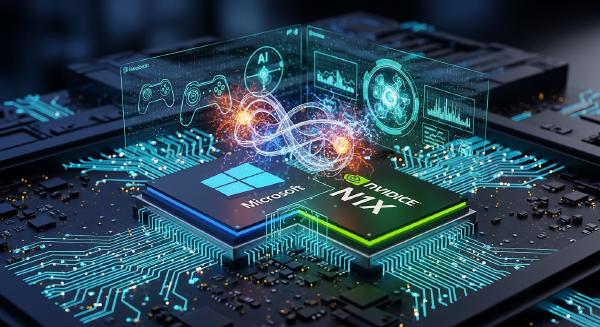
At a special Windows and Surface event featuring Microsoft CEO Satya Nadella, Windows + Devices executive vice president Pavan Davuluri, and NVIDIA CEO Jensen Huang, Microsoft unveiled a broader hardware and software strategy built around local AI, autonomous Agents, and hybrid execution between PCs and the cloud.
The flagship hardware is the new Surface Laptop Ultra, powered by NVIDIA’s RTX Spark Superchip. With up to 128GB of unified memory, Microsoft says the system can run models exceeding 120 billion parameters locally while delivering up to 1 petaflop of AI performance.
Microsoft is also positioning the machine directly against Apple’s high-end MacBook Pro. According to Microsoft’s official comparisons, the Surface Laptop Ultra delivers up to 2.1× faster first-token generation, 4.3× faster AI image generation, and 6.2× faster AI video generation than the 16-inch MacBook Pro with M5 Pro.
But the hardware is only one part of Microsoft’s strategy.
The more significant change is happening inside Windows itself. Microsoft is turning Windows into an AI Agent runtime capable of understanding local context, executing system actions, selecting local or cloud models, and enforcing security boundaries around autonomous software.
The company’s new concept of Hybrid Intelligence sits at the center of this architecture.
💻 Surface Laptop Ultra Puts Local AI at the Center #
The Surface Laptop Ultra is Microsoft’s new flagship demonstration of what it considers an AI-first PC.
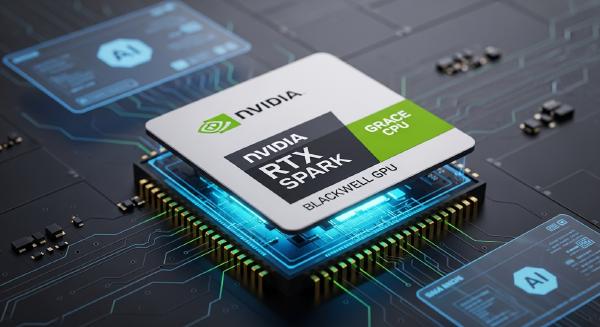
Its foundation is the NVIDIA RTX Spark Superchip, which combines a Blackwell RTX GPU, Grace CPU, and unified memory into a single platform. With up to 128GB of unified memory, Microsoft says the system can locally execute AI models with more than 120 billion parameters and provide up to 1 petaflop of AI compute.
That positioning is notably different from Microsoft’s 2024 Copilot+ PC launch.
The original Copilot+ strategy emphasized NPU performance, with AI functionality presented as a collection of features that could run locally on specialized neural-processing hardware.
The Surface Laptop Ultra instead emphasizes a different metric: how large a model the computer can continuously run and how effectively it can support long-running Agents.
The hardware reflects that objective.
The system is less than 18mm thick and weighs under 4.5 pounds. It features a 15-inch PixelSense Ultra touchscreen and a cooling system with up to 2.5× the thermal capacity of existing Surface Laptops.
Connectivity includes:
- Three USB-C ports
- HDMI
- USB-A
- SD card reader
- Headphone jack
- Support for up to three 4K external displays
- User-replaceable SSD
The Surface Laptop Ultra starts at $2,599 in the United States. Pre-orders opened October 7, with shipping scheduled to begin October 16.
Microsoft is also quietly changing how it brands the machine.
When Copilot+ PCs debuted in 2024, the “Copilot+ PC” label was positioned as a major new hardware category. The new generation instead leads with the Surface brand, while Microsoft continues to offer different classes of AI hardware spanning Copilot+ PCs, mini desktops, and Builder PCs.
The change suggests that Microsoft increasingly sees AI capability as a property of the broader Windows hardware ecosystem rather than something that needs to be isolated under a single product label.
⚡ RTX Spark Expands Into a Full AI Hardware Stack #
The Surface Laptop Ultra is only the consumer-facing flagship.
Microsoft is simultaneously building an entire hardware hierarchy around local AI workloads.
The Surface RTX Spark Dev Box is a compact desktop development system priced at $5,999 and scheduled to ship in November. It comes preinstalled with tools including Visual Studio Code, Git, GitHub CLI, GitHub Copilot, WSL, Python, and Node.
The goal is straightforward: developers should be able to purchase the machine and immediately begin building and testing local AI applications.
The system uses NVIDIA RTX Spark N1X hardware with a 6,144-core GPU, a 20-core CPU, 128GB of unified memory, and a 2TB SSD.
Microsoft is also expanding RTX Spark into a broader Builder PC category. Systems from ASUS, Dell, HP, Lenovo, MSI, and Microsoft are being positioned as ready-to-deploy machines for developers and AI builders.
At the lower end, Microsoft is preparing mini desktops with a native Windows gateway for OpenClaw and integrating the MXC sandbox into the out-of-box experience. The company’s vision is for these machines to operate continuously, hosting resident Agents at home or in the office.
At the extreme high end sits DGX Station for Windows.
Powered by NVIDIA’s GB300 Grace Blackwell Ultra Desktop Superchip, DGX Station can provide up to 748GB of unified memory and 20 petaflops of FP4 AI compute, according to Microsoft. That gives it enough capacity to locally run models exceeding one trillion parameters.
Microsoft describes two primary use cases: a personal AI supercomputer for engineering, scientific research, and design, and a shared Token Factory capable of serving more than 32 Agents concurrently.
The resulting hardware portfolio spans a much wider range than the original AI PC concept:
Mini PCs → Copilot+ PCs → RTX Spark Builder PCs → Surface Laptop Ultra → DGX Station
The common denominator is no longer simply an NPU.
It is the ability to host and manage Agents locally.
🧠 Windows Moves Copilot From an App Into the OS #
Hardware alone cannot turn a PC into an Agent platform.
Microsoft’s larger change is therefore happening inside Windows.
Historically, Copilot behaved largely like a conventional AI application. A user opened it, entered a prompt, and received an answer.
Microsoft is now attempting to make Copilot understand the operating environment itself.
The new architecture gives Copilot access—subject to user authorization—to local context, system actions, and local models. It can understand relevant files and recent activities, perform operations inside Windows, and determine when a task should remain on the device or be handed off to cloud infrastructure.
Microsoft groups these capabilities into three Copilot experiences:
Home #
Home can understand files and recent activities associated with the user’s work and help assemble materials for collaboration and productivity tasks.
Code #
Code is designed to generate native Windows applications from natural-language instructions and execute code inside isolated environments.
Autopilot #
Autopilot represents Microsoft’s longer-term vision of a more autonomous personal Agent that can continuously perform tasks rather than waiting for every individual prompt.
Together, these experiences rely on three foundational capabilities.
Local Context #
With explicit user permission, Copilot can interpret relevant local files and recent system activity rather than operating only on information manually copied into a chat window.
Local Actions #
Copilot can organize files, diagnose system problems, troubleshoot issues, generate code, and execute multi-step workflows.
Local Models #
Suitable workloads can be routed to models running directly on the PC, while more demanding tasks can be transferred to cloud models.
The difference is substantial.
Instead of asking an AI assistant to tell the user how to perform a task, Windows can increasingly allow the Agent to perform the task itself.
🔎 Windows Search Becomes an Agent Interface #
Microsoft is also extending these capabilities into Windows Search.
The taskbar is being transformed from a conventional search box into a natural-language command interface capable of performing thousands of system actions.
Users can issue commands such as:
- “Turn on dark mode.”
- “Enable Do Not Disturb.”
- “Dim the screen.”
- “Organize my windows.”
- “Text someone.”
The objective is to eliminate the traditional sequence of opening Settings, navigating menus, finding the relevant option, and manually performing the action.
Search will also connect directly to the new Copilot experience, allowing users to obtain quick answers from the taskbar before opening the full Copilot interface when a deeper interaction is necessary.
This is an important shift in Microsoft’s philosophy.
The AI interface is no longer necessarily a dedicated application.
It is becoming a system-level interaction layer.
🔐 Can Users Trust Agents With Their PCs? #
The deeper Agents are integrated into Windows, the more serious the security problem becomes.
A conventional chatbot generally has limited access to the user’s computer. A system-level Agent is fundamentally different. It may have access to personal files, applications, credentials, networks, and other sensitive resources while being capable of taking actions autonomously.
Microsoft’s answer is Microsoft Execution Containers (MXC).
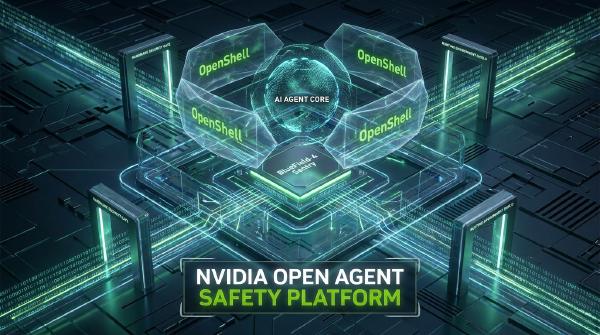
MXC establishes policy-controlled boundaries around Agent execution. Depending on the required security level, isolation can involve process boundaries, sessions, virtual machines, WSL, and Windows 365.
The underlying idea is to give Agents a controlled workspace rather than unrestricted access to the host operating system.
Microsoft says a growing list of Agent products already supports MXC, including:
- Codex
- GitHub Copilot
- OpenClaw
- Replit
- LM Studio
- NVIDIA OpenShell
- Unsloth
Additional integrations are being prepared for products such as Claude Code, Box, Egnyte, Manus, Perplexity, and Raycast. Meta’s Muse for Windows is also expected to integrate MXC as a native application.
This is strategically important.
Microsoft is not positioning MXC solely as a security feature for Copilot. It is attempting to establish Windows as a managed execution environment for third-party Agents.
If that strategy succeeds, Windows becomes more than an operating system that happens to contain AI.
It becomes the runtime layer through which different AI Agents access local compute, files, applications, and networks under controlled policies.
🌐 Hybrid Intelligence Connects Local and Cloud Compute #
The central theme of Microsoft’s event was Hybrid Intelligence.
Microsoft defines the concept around a simple principle: Agents should run locally when local compute is sufficient, connect to the cloud when greater computational power is required, and remain subject to the security and management controls expected in enterprise environments.
This approach also addresses one of the major economic limitations of cloud-based AI.
Cloud inference is powerful, but continuous Agent workloads can generate significant token consumption. Moving appropriate workloads back to local hardware can provide a form of persistent, unmetered intelligence without requiring an API request for every operation.
Microsoft’s architecture therefore revolves around three pillars:
- Intelligent routing
- Powerful local models
- High-performance AI runtimes
The goal is not to replace cloud AI.
It is to determine where each workload should execute.
🧮 Larger Local Models Become Practical #
Microsoft’s own MAI Code 1.1 Flash illustrates the direction.
The model reportedly contains 137 billion total parameters, with 6.8 billion active parameters. After 3-bit quantization, its storage footprint is reduced substantially, allowing it to operate locally with a 256K context window.
Other large models are being targeted at similar hardware.
NVIDIA’s upcoming Nemotron model family includes models exceeding 70 billion parameters that can occupy slightly more than 20GB after 2-bit quantization.
Microsoft also identifies the 284-billion-parameter DeepSeek V4 Flash as another important candidate for local execution within the hybrid intelligence ecosystem.
The broader implication is that model parameter count alone is becoming a less useful measure of whether a model can run locally.
Quantization, sparsity, active parameters, memory architecture, runtime optimization, and workload routing all influence practical deployment.
That is precisely why Microsoft is investing in the complete stack rather than simply increasing NPU specifications.
🔀 HydraFusion Decides Where AI Workloads Should Run #
Running local models efficiently also requires an orchestration layer.
Microsoft’s HydraFusion, developed through GitHub, is being expanded from cloud-oriented routing to Windows. It can determine whether a workload should execute on a local model or be sent to a cloud model.
This creates an abstraction layer between the application and the underlying inference engine.
For developers, the important change is that applications do not necessarily need to hard-code a single execution target.
A lightweight task could remain entirely on the device.
A larger reasoning task could be routed to a cloud model.
A latency-sensitive workflow could prioritize the local accelerator.
A resource-intensive operation could move to a more powerful remote system.
The operating system becomes part of that scheduling decision.
🛠️ Windows ML Opens the Runtime Layer #
Microsoft is also expanding Windows ML to support a broader local model ecosystem.
Official support for llama.cpp allows developers to deploy open-source models across GPUs, NPUs, and CPUs.
This matters because the AI PC market is becoming increasingly heterogeneous.
A Windows system may contain a CPU, GPU, NPU, or some combination of accelerators from different vendors. A useful local inference stack therefore needs to abstract away much of that hardware complexity while still taking advantage of available compute.
By supporting established open-source runtimes, Windows can reduce the friction involved in experimenting with new models and hardware configurations.
The strategic objective is clear: Microsoft wants Windows to become a platform where models, runtimes, Agents, hardware accelerators, and cloud services can interoperate.
🖥️ The AI PC Is Becoming an Agent Runtime #
Two years ago, Microsoft’s AI PC proposition was comparatively straightforward.
Install an NPU, run Copilot locally, and add a collection of AI-powered features.
The new architecture is considerably more ambitious.
A modern AI PC, according to Microsoft’s emerging design, requires several layers working together:
- Local compute capable of running meaningful AI models
- Windows ML for hardware-accelerated inference
- HydraFusion for local-versus-cloud workload routing
- Copilot integrated with system context and actions
- MXC for Agent isolation and security
- Cloud AI for workloads that exceed local capabilities
- Agent development tools for building applications around the stack
This changes the definition of the AI PC from a hardware specification into a system architecture.
The hardware still matters, but its value is determined by what the entire software stack can do with it.
🧩 Microsoft Is Building a Multi-Tier Agent Ecosystem #
The different machines announced at the event make more sense when viewed through this architecture.
Consumers can purchase Copilot+ PCs for everyday workloads.
Developers can use the Surface Laptop Ultra or RTX Spark Dev Box for local model development.
Mini PCs can operate as always-on Agent hosts.
Teams can deploy DGX Stations for larger local models and concurrent Agent workloads.
Enterprise environments can combine local execution with cloud resources while enforcing security and management policies.
Microsoft is effectively constructing a hardware-to-software continuum for Agents.
That also explains why the event placed Windows, Surface, Copilot, GitHub, NVIDIA, and DGX Station within the same strategic framework.
The company is no longer treating AI as an application sitting on top of Windows.
It is trying to make AI execution one of the fundamental operating assumptions of Windows itself.
🚀 Conclusion: Microsoft Wants Windows to Become the Default Agent Platform #
Microsoft’s latest AI PC strategy represents a significant departure from the original Copilot+ PC concept.
The first generation largely asked:
How can we add AI features to an existing PC?
The new generation asks a different question:
What should a personal computer look like if AI Agents are continuously operating on it?
That requires more than an NPU.
It requires sufficient memory and compute to run large models, efficient inference runtimes, intelligent local/cloud routing, system-level context, APIs for taking actions, and strong isolation mechanisms that prevent autonomous software from gaining unrestricted access to user data.
The Surface Laptop Ultra is therefore important not simply because it is Microsoft’s most powerful Surface device.
It is the flagship hardware expression of a broader architectural shift.
NVIDIA provides the local compute. Windows provides the operating environment. Windows ML provides the inference layer. HydraFusion decides where workloads execute. Copilot provides the system-level Agent interface. MXC establishes the security boundary. Cloud infrastructure supplies additional capacity when local resources are insufficient.
If Microsoft can make these layers work reliably together, the AI PC stops being a marketing category and becomes a concrete computing model.
Two years ago, the pitch was essentially: the PC already exists, so give it AI capabilities.
The emerging pitch is much more consequential:
The PC itself becomes part of the AI system.
As Agents move from chat windows into operating systems, local hardware will increasingly determine what those Agents can do, how continuously they can operate, how much data can remain on-device, and how much users depend on cloud inference.
That is the real competition Microsoft is entering—not simply against the MacBook Pro, but for control of the next generation of personal computing.